Your phone is buzzing with Instagram likes for a new product, but the shelf is half empty and you're still asking yourself, should I actually buy more of this thing? If you've been wondering how to use sales data to decide what to stock, the short answer is this: check what actually sold, how fast it sold, and how often you had to refill it, not just who liked or asked.
That's the real problem for many shops. A product can trend in WhatsApp chats and still sit on your shelf, while another one quietly sells out every week. According to Inventory Planner, demand forecasting means using past sales data and trends to estimate how much stock you'll need and when to replenish it.
By the end of this guide, you'll know how to know what products to restock, how much to buy next, and how to forecast stock for a shop without tying up all your cash in goods that won't move.
How do you use sales data to decide what to stock?
You use sales data to decide what to stock by checking four things first, what actually sold, how fast it sold, how often it sold, and whether those sales happen consistently enough to repeat. That is the simplest way to answer how to use sales data to decide what to stock.
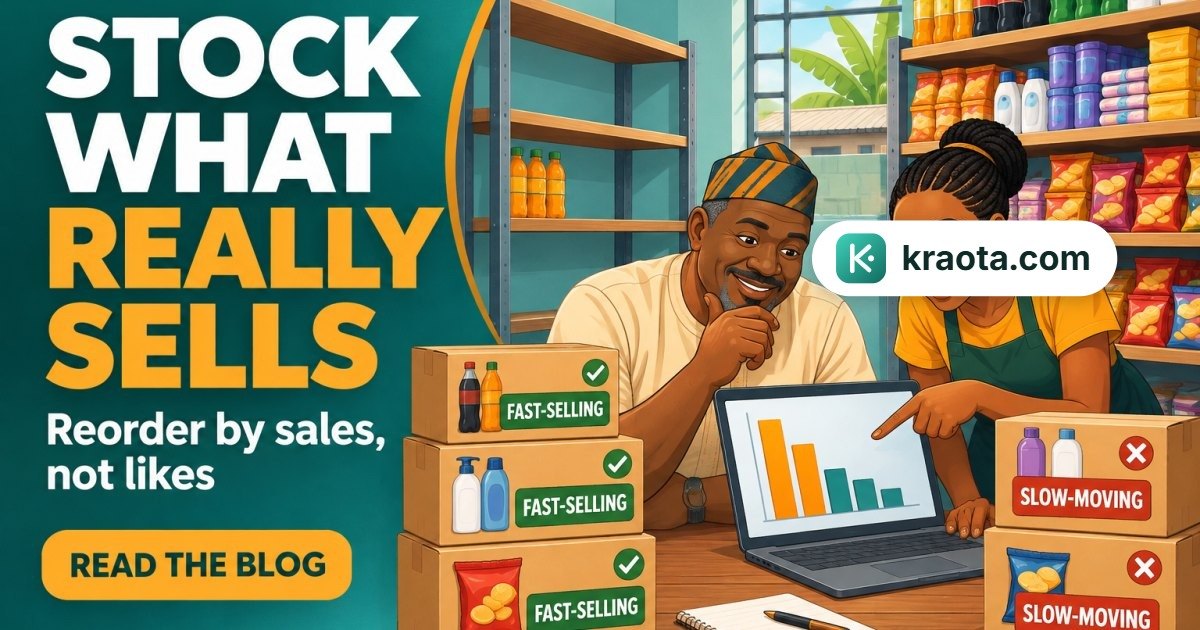
The big difference is this, interest is not the same as demand. Likes, views, and "How much?" messages show attention. Sales show money changing hands. If 40 people asked about a product on Instagram but only 6 bought, that tells you something very different from a product that got little noise online but sold out twice in one week.
A simple flow helps:
- Check past sales
- Check stock left
- Check how long your supplier takes
- Decide what to reorder, and what to leave for now
According to Inventory Planner, demand forecasting means using past sales data and trends to estimate how much stock you'll need and when to replenish it. That is the heart of sales data for inventory planning.
If you're running more than one shop, this matters even more. In Kraota, you can see sales, stock on hand, and branch-level inventory in one place, so you're not guessing from memory, torn notebooks, or scattered WhatsApp chats.
Why are likes and views not enough to plan stock?
Likes can fool you.
People tap like for many reasons. The item looks nice. They want to ask the price later. They're comparing your post with three other sellers. Some just want to save it in their mind and move on. Attention is useful, but it is not demand.
What matters more is conversion. Did interest turn into a paid sale, an invoice, or at least a part-payment? That's the signal that helps you decide how to know what products to restock.
Take a boutique in Surulere, for example. A dress post gets 80 likes and plenty of "How much?" messages, but only 3 pieces sell. Then a plain leggings post gets fewer likes and quietly sells 12. If you restock by vibes, you may tie cash down in the wrong item.
This is why past sales matter more than noise online. Inventory Planner says demand forecasting uses past sales data to estimate what you'll need and when to replenish it.
If your orders come through your shareable store link or you turn chats into invoices, you can compare what people asked for with what they actually paid for using Kraota's online store and invoicing features. That gives you a cleaner base for inventory planning for Nigerian retailers.
What sales numbers should you check before you restock?
Start with the numbers that answer one simple question, what really moved?
Check units sold over three windows: the last 7 days, the last 30 days, and a longer period that makes sense for that product. For example, a soft drink in a provision store may need a shorter view than a wedding clutch in a boutique. This is the core of sales data for inventory planning, and it helps you see if demand is fresh, steady, or fading.
Next, check how many days the item was out of stock. If a product sold 10 pieces in 30 days, but it was unavailable for 8 of those days, the demand may be higher than the sales number suggests. Inventory Planner says demand forecasting works best when you use past sales data to estimate what customers will buy and when to replenish.
Then look at current stock left. If you have only 3 packs remaining and the item sold 20 packs in the last 30 days, that's a different situation from having 25 packs still on the shelf.
Also check repeat purchases. Are the same customers coming back for it, or was it just one rush after a promo, payday weekend, or a popular Instagram post? One spike is not always a trend.
A simple way to sort items:
- Fast sellers: move often, need close watching
- Steady sellers: sell regularly, easier to plan
- Slow movers: tie down cash, buy carefully
In Kraota, the profit dashboard shows Today, 7 days, 30 days, and Lifetime views, so you can compare a short rush with longer demand. The stock and purchasing assistant can also help you interpret what those numbers are saying. If you need help finding these views, the guide is useful.
How much stock should you buy next time?
A simple answer to how to use sales data to decide what to stock is this: buy enough to cover the days before new stock arrives, then add a small buffer. Not a guess. Not "let me just buy plenty". Just sales rate, lead time, and a little breathing space.
Start with average sales over a recent period that makes sense for that item. If it's a fast seller, check the last 7 to 30 days. If it moves slowly, look a bit wider so one busy weekend doesn't mislead you.
Then ask two questions:
- How many units do I sell per day on average?
- How many days does my supplier take to deliver?
For example: if you sold 20 packs in 10 days, your average is 2 packs a day. If your supplier takes 5 days, you need about 10 packs to cover that waiting time. Then add a small buffer, say 2 to 4 packs, in case sales rise a little or delivery is late. That means your next restock might be around 12 to 14 packs, depending on how much you already have left.
One warning. Don't overbuy because an item had one hot week. Too much stock ties up cash you may need for transport, staff, rent, or faster-moving products. Research on inventory planning consistently points to the same thing: excess stock drains cash while too little stock causes missed sales.
In Kraota, smart reorder suggestions can help you spot what needs buying. Then you can turn that into a proper process with suppliers, purchase orders, and goods receipts, instead of scattered notes in a notebook. If you want help setting that up, the guide is useful.
How do you plan stock when demand changes by branch, season, or expiry?
Don't treat every branch the same. A provision store in Yaba can sell through a product much faster than your branch in Ikorodu, even when both branches stock the exact same item. If you lump all sales together, you may overstock one location and run dry in another.
This is where sales data for inventory planning needs to be checked by location, not just by total shop sales. In Kraota, stock is tracked per location, so each branch sees its own stock levels, while you can still view everything as the owner. If one branch is moving faster, you can transfer stock between branches instead of rushing to buy new cartons.
Season matters too. Back-to-school snacks, festive fashion items, rainy season products, or some pharmacy items won't sell at the same speed all year. Research from Inventory Planner says demand forecasting works best when you use past sales and trends to predict what customers will buy next, not just what sold last week.
Expiry products need even more care. If you overbuy syrup, yoghurt, or packaged food, the problem is not only tied-up cash, it's waste. Kraota handles batches and expiry dates, uses earliest-expiry-first selling, and gives expiry alerts, which is especially useful for pharmacies and food sellers. That helps you buy with more caution and sell older stock first.
What mistakes make sales data useless for stock decisions?
A lot of stock problems don't start from demand. They start from messy records.
The biggest mistakes are simple. Mixing all branches together, ignoring returns, forgetting the days an item was out of stock, relying on memory, and counting enquiries as sales. If your Abuja branch sold fast but your Surulere branch moved slowly, one combined number can mislead you. If ten pieces were returned and you ignore that, you'll think demand was higher than it really was.
Enquiries can mislead you too. A product may get plenty of WhatsApp messages or Instagram comments, but that is not the same as money collected. Good forecasts depend on what actually sold. Inventory Planner notes that forecasting works best when it uses past sales data and trends, not guesses.
The old way is a notebook, a calculator, and "I think we sold plenty last month." That usually leads to poor forecasts and wasted cash.
A cleaner process is proper sales and stock records. In Kraota, offline POS keeps sales recording even when the network drops. Returns and refunds are logged, held sales don't get counted as completed sales, barcode scanning reduces item mix-ups, and audit history helps you check what really happened. That gives you cleaner data before you decide what to buy next.
What is the first step you can take this week?
Start small. Don't try to fix the whole shop at once.
Pick one category first, maybe pain relief in your pharmacy, drinks in your supermarket, or your best-selling gowns if you sell on Instagram. Then follow this simple plan:
- Pick your top 20 products in that category.
- Review the last 30 days of sales.
- Mark each item as a fast mover or slow mover.
- Check your current stock on hand.
- Create a restock list from what actually sold.
For each item, ask one practical question: Did this product sell steadily, or did it only get attention? A product can get plenty of views, comments, or "How much?" messages and still move slowly at the counter.
This is the heart of how to use sales data to decide what to stock. You are not guessing from memory. You're using real sales data for inventory planning.
If you want help reading your own numbers, Kraota includes an AI business coach that answers from your shop's own data, plus a stock and purchasing assistant, depending on plan. You can try the 14-day free trial at kraota.com/register, and check plans at kraota.com/pricing.
Start a free trial of Kraota and review your last 30 days of sales to build your next restock list from real data, not guesses.