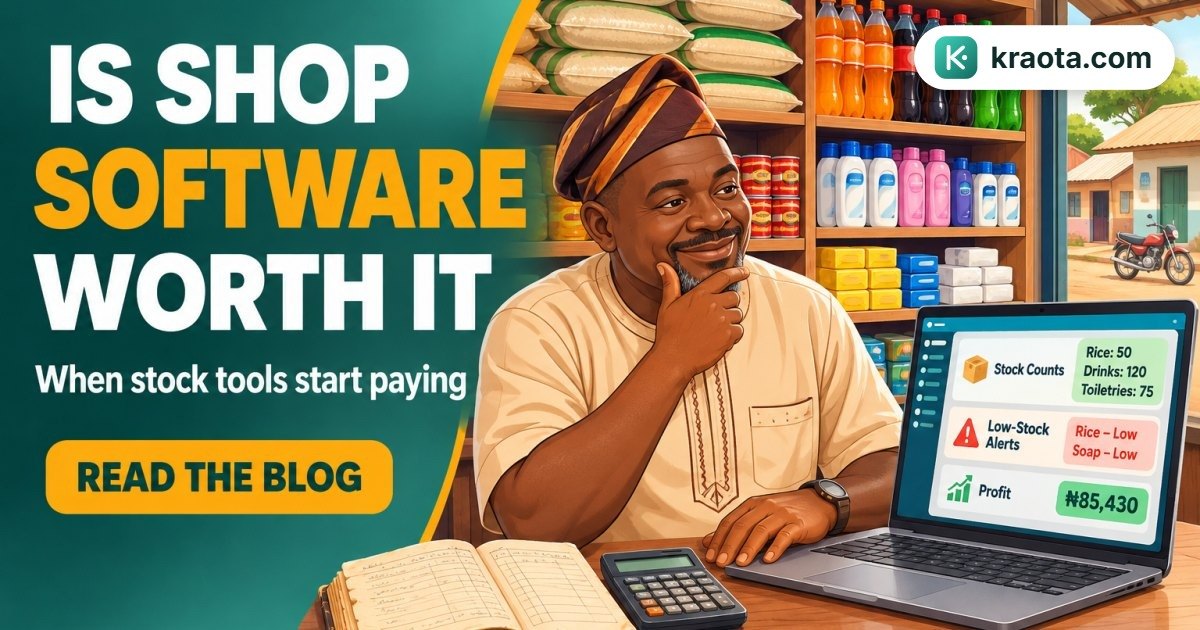
A customer is waiting at the counter while you flip through a worn notebook, trying to remember whether that item is still in stock or already finished. If you're searching for the best inventory software for small business in Nigeria, you're probably asking a simpler question underneath it, is shop software worth it for a small business like mine?
That doubt is real. Notebook, memory, WhatsApp chats and spreadsheets can feel cheaper and easier, until stock goes missing, a cashier says one thing, your shelf says another, and you still have to balance sales at night. Research from Data2Bots says manual tracking creates stock discrepancies, limited visibility and lost sales from stockouts in Nigerian businesses.
By the end of this guide, you'll know what to look for in inventory software for Nigerian shops, when it starts paying for itself, and how to test it without guessing. If you want, you can then try Kraota free and see how it fits your shop.
Is shop software worth it for a small business in Nigeria?
Yes, it often is, especially if stock mistakes, slow checkout, unpaid customer balances or branch confusion are already costing you time or money.
The real question is not whether your shop needs to "look modern". It's whether you're tired of the gaps that come with notebook, memory, WhatsApp chats and scattered spreadsheets. If you can't fully trust your records, you're already paying for that problem, just not as a software bill.
You see it in everyday moments. A customer asks for an item and the shelf is empty, even though you thought there was still stock. A sale happens during a rush and never gets written down. Someone collects goods and says they'll pay later, then you have to start searching old chats to confirm the balance. If you have more than one branch, one shop may be overstocked while another is waiting.
And this is Nigeria, so NEPA and network wahala matter too. Any offline shop software Nigeria owners choose should still let sales continue when the internet is down, then update properly when the connection returns.
So, is shop software worth it for small business? If these problems sound familiar, yes.
What do small Nigerian shops actually lose when they keep using notebook and memory?
More than most people think.
The obvious loss is stock going missing on paper. The hidden loss is everything that follows after that, missed sales, double buying, expired items, wrong prices, and those end-of-day arguments about what was sold and what money should be in the drawer.
For example, a provision store sells Indomie fast every day. The owner thinks there are still 4 cartons left because that was what the notebook showed two days ago. Meanwhile, staff have already sold through most of it. A customer asks for a full carton and leaves empty-handed. Later, the owner rushes to buy stock at a bad time, or buys too much of something else instead.
A pharmacy can feel this even more. For example, expiry is noticed late because batches were written in a book nobody checked during the rush. Now money is sitting on the shelf in products that can no longer be sold.
Manual records also make pricing shaky. One cashier sells at the old price, another uses the new one, and the owner only finds out after counting cash. If somebody says, "I sold it" and another says, "No, it was returned," you're left comparing memory with torn pages and WhatsApp chats.
It gets worse across shifts, cashiers, and branches. A notebook is hard to trust when three people write in it, and even harder when one branch in Lagos needs to know what another branch has in stock. That is why many owners start looking for <a href="https://kraota.com/features">stock tracking, branch inventory, expiry and sales tools</a> before the losses pile up further.
What should the best inventory software for small business in Nigeria do?
Start with the basics. The best inventory software for small business in Nigeria should help you sell at the counter, track stock as it goes in and out, record expenses, see profit, print or send receipts, and check who still owes you money.
That sounds simple, but many shops still split these jobs across a notebook, calculator, spreadsheet and WhatsApp chat. The problem is that your records scatter fast. One sale is in the cash book, one debt is in a phone message, and one expense is in somebody's head.
You want one system that handles stock and selling together. If your POS and inventory are separate, mistakes multiply. A product gets sold, but stock does not reduce. A return happens, but nobody updates the shelf count.
For Nigerian shops, there are extra things to look for. It should be easy to learn, work well in a busy shop, and keep up when a customer is waiting. As MyTreda's 2026 guide puts it, many traders need to record a sale quickly, not spend time learning software built for a different kind of business. It should also cope with unstable internet, because NEPA and network mood can change your day.
Kraota fits here because it combines inventory management and a complete POS in one system, built for Nigerian small and medium shops. It runs in the browser and installs on a phone like an app, so a shop can use a phone or computer. It also keeps selling offline and syncs when the network returns. If you want to see how the workflow looks before choosing, the <a href="https://kraota.com/guide">user guide</a> helps.
When does software start paying for itself?
It usually starts paying for itself when your shop has outgrown memory.
A few signs are easy to spot. You have many products, more than one staff member is selling, you run more than one branch, or customers buy and promise to complete payment later. At that point, the real cost is not just "no software". It's the repeat mistakes.
For example, a customer asks for an item you normally sell well, but the shelf is empty because nobody noticed it was running low. Or one staff member buys stock that another person already bought. Or a customer pays part now, takes the goods, and the balance gets buried inside WhatsApp chats. One mistake may look small. Repeated every week, it adds up quietly.
This is where software becomes worth it. Not because of a big promise, but because it helps you stop losing money the same way again and again.
In Kraota, each branch can see its own stock with inventory per location, and owners can see all locations. You can move items with stock transfers, track sales orders, invoices, part-payments and receivables, and check expenses and the profit dashboard to see what the shop is actually doing.
What makes shop software feel simple instead of stressful?
The short answer is this, good shop software should match the way you already sell.
If it takes too many steps to record one sale, your staff will avoid it. If the screen is confusing, they'll go back to a notebook. The best inventory software for small business in Nigeria usually feels simple in very practical ways, clear screens, quick selling, easy product setup, and phone access when you're not sitting at a counter.
Think about your normal shop flow. You add products, sell fast, pause for a customer who says "I want to transfer", then continue. Sometimes someone changes their mind, pays with two methods, or brings an item back. Your software should handle that without drama.
Useful basics to look for:
- Add products without long setup
- Scan barcodes with a phone camera or scanner
- Hold a sale and reopen it later
- Take split payments
- Process returns and refunds
- Import products from spreadsheets
- Open it on your phone when you're away from the shop
In Kraota, the POS keeps working offline and syncs when the network returns. That matters because the shop cannot stop whenever the internet disappears or NEPA affects your connection. You can scan barcodes with a phone camera or scanner, import from spreadsheets, hold sales, take split payments, and process returns and refunds.
If you want to see whether that flow fits your shop, the Kraota guide is a practical place to start.
How do you compare cost without guessing?
Don't compare shop software by price alone. Compare it by the problems it replaces.
If you're still using notebook, memory, Excel, and WhatsApp chats together, the real question is not "How much is the software?" It's "What stress, mistakes, and wasted time will it remove from my daily work?" Good inventory software for Nigerian shops should replace manual stock checks, unclear sales records, and branch-to-branch confusion.
A simple way to compare:
- Does it cover POS and stock in one place?
- Can it work when the internet is bad?
- Will it fit your number of products and branches?
- Can your cashier and manager use it without long training?
Kraota keeps the pricing straightforward, in naira, billed yearly:
| Plan | Best for | Price |
|---|---|---|
| Starter | Small shops with up to 5 branches and 2,000 products | ₦180,000 per year |
| Business | Growing shops with up to 15 branches and 20,000 products | ₦450,000 per year |
| Enterprise | Larger or more complex setups | Custom pricing |
That matters because POS and inventory software Nigeria should match your shop size, not force you to overbuy.
You don't have to guess from a pricing page alone. Kraota offers a 14-day free trial, so you can test it with your own products, your own staff, and your normal daily routine before you decide.
How can you test shop software before you commit?
Don't test with dummy data only. Test it the way your shop actually runs.
Start with a small checklist:
- Add a few real products
- Sell a normal day's sales
- Record one expense
- Check stock after those sales
- Print or share a receipt
- Leave one sale partly unpaid, then confirm the balance is easy to find later
That simple test will tell you more than a long features page.
After that, test the hard parts. Switch your network off for a while and see if selling can continue. Let one staff member end a shift and another start, so you can check handover and register sessions. Try a fast checkout when two or three customers are waiting. Process one return. Then make one reorder decision from your stock level instead of guessing.
This is where offline shop software Nigeria matters. If NEPA takes light and your network starts behaving somehow, you still need to keep selling.
You can start a 14-day free trial of Kraota and test it with your own products, staff flow and branch setup before you decide. If you want to check the plans first, see the pricing here.
Start small. Don't try to set up everything at once. Start a 14-day free trial of Kraota and test it with your real products, sales and stock routine.