A customer is waiting in your Surulere shop, your notebook says the item is available, and your other branch says someone collected the last carton yesterday. If you're wondering how to manage inventory across multiple shops, start with separate stock records for each branch and a record of every movement between them.
The problem isn't just knowing what you own. It's knowing where it is, what's been sold, and whether a transfer actually arrived.
By the end of this guide, you'll know how to track stock across branches, record transfers, investigate mismatched figures and check each shop's position daily. Your first step is to give each branch its own stock record.
How do you manage inventory across multiple shops?
Before your cashier promises a carton to the next customer, check that shop's balance. Keep a separate stock balance for each branch, use the same product names and units everywhere, record every movement, and count physical stock regularly to check your records.
A combined business total won't tell the cashier what's on their shelf. For example, six cartons across two shops could mean six at one branch and none at the other. Also, "one carton" and "one piece" must never mean the same thing in your records.
Start by counting what each shop holds and entering those opening balances. Then record transfers at both ends, keep daily transactions current, and investigate differences between recorded quantities and what staff actually count.
How do you set up separate stock records for each branch?
Your Surulere cashier counts the tins on the shelf while someone in Yaba checks the cartons in the back room. Start with a physical count at each shop, then record those opening quantities against the correct location, not as one combined balance.
Use the same product names, variants and units everywhere. A small tin and a large tin need distinct records. Agree on what "carton", "pack" and "single item" mean, including how many singles each pack contains.
For example: 12 tins in Surulere and 8 in Yaba means you have 20 across the business. But only 12 are available to a customer standing in Surulere.
Kraota's inventory per location keeps those balances separate. Each branch sees its own stock, while you, as the owner, can view all locations. It also supports units and pack conversions, so you can record stock consistently when you buy in cartons but sell individual items.
How do you record stock transfers between shops?
Someone carries a bag of tins from Surulere to Yaba, but the only record is "I've sent them" in a WhatsApp chat. Record stock transfers between shops against one shared reference, with a count at both ends.
For every transfer, record:
- Sending and receiving branches: where the stock leaves and where it's going.
- Product and unit: the exact product, size and whether you're moving tins, packs or cartons.
- Quantity: how many units are being sent.
- Date and reference: when it leaves, plus a reference both shops can identify.
The sender should count what leaves and keep a dispatch confirmation against that reference. The receiver should count what actually arrives, then keep a receipt confirmation against the same reference. Don't confirm receipt just because the sender says the bag has left.
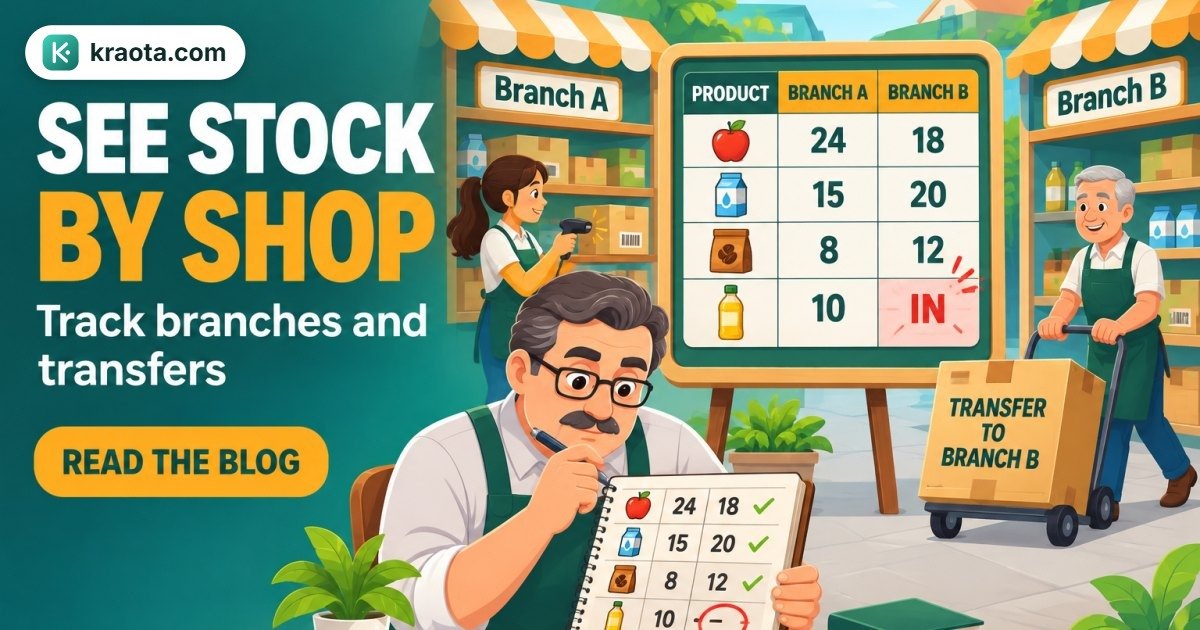
For example: Surulere holds 12 tins and Yaba holds 8. Transfer 4 tins from Surulere to Yaba. Once all 4 arrive and the transfer is fully recorded, the balances should be 8 in Surulere and 12 in Yaba, while the business total remains 20.
If only 3 arrive, compare the dispatch and receipt counts. Check whether a tin is still in transit or was damaged, and document the discrepancy against the transfer reference. Don't silently change a balance to make the figures agree.
Kraota supports stock transfers between branches to record movement between locations. Use that alongside this counting routine for your next transfer.
Which daily activities should update each shop's stock?
A customer returns a shirt at Yaba while a supplier unloads cartons at Surulere. Both events need recording against the branch involved, when they happen.
Use the right record for each movement:
- Sales: record through Kraota's POS against the selling branch.
- Supplier deliveries: count what arrives, then record a goods receipt at the receiving shop. This is new stock entering your business, not a branch transfer.
- Customer returns: use returns and refunds, checking the item's condition before putting it back into sellable stock.
- Damage: record an inventory adjustment with the reason. Don't enter it as a sale, because no customer bought it.
- Transfers: use stock transfers to record movement out of one branch and into another.
At each shop, name who records sales, receives deliveries and documents stock corrections. Use Kraota's team roles and permissions to support those responsibilities.
Record movements as they happen. Don't leave yourself to reconstruct the day from WhatsApp messages at closing time.
What should you check when stock figures don't match?
You count a shelf twice, but it still doesn't match the record. Before changing the figure, check in this order:
- Recount the item, including stock behind the counter or in the storeroom.
- Check the unit. Are you comparing individual pieces with packs or cartons?
- Confirm the location. Make sure you're viewing the branch you're counting.
- Review recent sales, deliveries, returns and transfers for missing or incorrect entries.
For example, if one branch is short by 4 units and the other has 4 extra of the same item, check the transfer records first. That pattern suggests a movement worth investigating, not proof of theft or loss.
Kraota supports stock counts, adjustments and audit history to help you check records and document corrections. It won't automatically explain every difference. Record the reason for each correction, and keep the original discrepancy visible in your shop's review notes.
Start with a small daily count of frequently moved items and products with repeated discrepancies, rather than attempting every shelf at once.
What should an owner check across both shops each day?
Before you close, check the carton sent to your other shop: has someone there confirmed it arrived? Your daily review should catch unfinished movements and stock that needs attention.
Keep this checklist short:
- Incomplete transfer confirmations: Which goods left one shop but haven't been confirmed at the other?
- Unexpected balances: Are any quantities negative, unusually high or different from what you'd expect?
- Items running low: What needs replenishing at each branch?
- Corrections needing explanation: Does each adjustment have a clear reason recorded?
Before placing a supplier order, check whether another branch has stock to spare without leaving its own customers short.
In Kraota, you can view inventory across all your locations and use stock transfers when moving goods between branches. Your cashier needs to know what's available locally; you need the wider view to decide what to move, buy or investigate. Finish by listing the transfers and checks that need follow-up.
How can you start organising stock across two shops?
Start with the next carton waiting to move between your shops. Before it leaves, get these basics in place:
- Name both locations clearly, so nobody confuses the branches.
- Agree on product names and units, including what "piece", "pack" and "carton" mean.
- Count opening stock at each shop and record the quantities separately.
- Choose who records sales, deliveries, transfers and adjustments at each branch.
Test the routine with one clearly documented transfer. Record the product, quantity, sending branch, receiving branch and date. Afterwards, check both balances: the sending shop should have less stock and the receiving shop more, by the same quantity.
Can both shops use the same product list?
Yes. Keep product names consistent, but record quantities separately for each location.
Do I need separate software for each branch?
No. Kraota supports location-based inventory and stock transfers between branches.