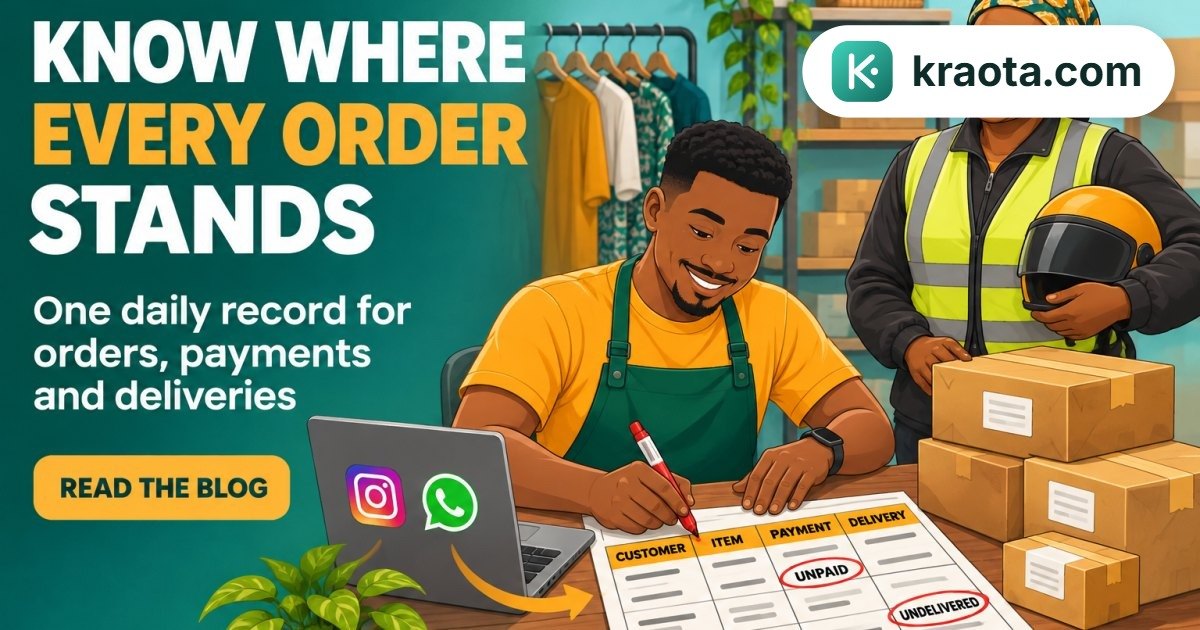
Your dispatch rider is waiting outside while you search Instagram for the customer's size and WhatsApp for her delivery address. If you're wondering how to keep track of Instagram and WhatsApp orders, start by keeping one order record outside your chats, with the items, customer details, payment status and delivery progress together.
The confusion starts when those details stay scattered. You remember a transfer alert, but was it hers? And did you record the order already, or only reply "noted"?
By the end of this guide, you'll know what to record, how to confirm each order and payment, and what to check before closing so you're not piecing everything together from memory.
How do you keep Instagram and WhatsApp orders in one place?
With the rider waiting while you search two conversations, you need one record to check. Here's how to keep track of Instagram and WhatsApp orders: put every confirmed order in one master record, give it a unique reference, and keep its payment and delivery details there.
That master record can be a spreadsheet or an order management tool. The point is to stop using separate chats as separate order books.
Customers can still message wherever they prefer. If someone orders on Instagram, then sends a new address on WhatsApp, update the existing order record. Don't create another order just because the conversation moved.
Follow the same routine each day: capture, confirm, record, update and review. Capture the request, confirm the details with the customer, record the order, update it when payment or delivery changes, then review what's still outstanding before closing.
What details should you record for every order?
A customer asks, "Have you sent my black size 12?" Your record should tell you which item she ordered, what she owes and whether it has left your shop, without reopening the chat.
Use this compact WhatsApp order tracking template in a notebook or spreadsheet. In a spreadsheet, give each field its own column.
| Group | Fields to record |
|---|---|
| Order | Unique order reference, date |
| Customer | Name, phone number or WhatsApp contact, Instagram handle |
| Source | First enquiry channel, confirmation channel |
| Items | Product, variant such as colour or size, quantity |
| Money | Total including delivery, amount paid, balance, payment status |
| Fulfilment | Status, delivery address or pickup arrangement |
For example, Ada enquires on Instagram, then confirms a black dress on WhatsApp. Record one order, ORD-041, with "Instagram enquiry; WhatsApp confirmation" under source. Keep that reference in your record and customer messages: "Ada, your order ORD-041 is ready for pickup."
Keep payment status separate from fulfilment status. "Paid" doesn't mean "dispatched", and "ready for pickup" doesn't mean the balance is settled.
If you're moving beyond a spreadsheet, Kraota's invoices, part-payments and receivables can help you track what each customer still owes.
How do you turn a chat into a confirmed order?
"Is the blue one available?" comes in while you're packing another parcel. That's an enquiry, not yet an order. Treat it as confirmed once you and the customer have agreed on the product, variant, quantity, price and delivery or pickup details.
Before you move to the next chat, send a summary and ask the customer to confirm. For example:
"Please confirm: 1 blue blouse, size L. Total: ₦18,000, including delivery to your Yaba address on Friday. Order reference: ORD-042. Is everything correct?"
Create the order record as soon as the customer agrees. You don't need to wait for payment, but mark it unpaid until you've verified the money arrived.
If they change to size M or add a skirt, update the same order record. Adjust the items and total, then send a revised summary using the original reference. Don't create another order for the same purchase.
Sales orders and invoices give confirmed sales a structure beyond scattered messages. In Kraota, you can record them using sales orders and invoices, with part-payments and receivables to track money still owed.
For your next confirmed sale, record it before opening another chat.
Can customers order through a link in your Instagram bio?
A customer sends screenshots of a blouse, a skirt and another blouse, then writes, "Not the first one." You're back to matching pictures before you can confirm the order.
Yes, you can put a shareable online store link in your Instagram bio so customers can view your products instead of building an order across several messages. Point them to it in your posts and replies: "You can browse the products through the link in our bio."
Kraota's online store provides that product link. Orders can arrive on WhatsApp, and those orders can be turned into invoices. That gives you a route from browsing to an order record, while keeping WhatsApp available for questions and confirmation.
Once you've checked the customer's choices and turned the order into an invoice, use that invoice as the sales record you refer back to. Check the recorded items and amount there, rather than reconstructing the sale from screenshots, voice notes and replies. Creating an invoice doesn't mean the customer has paid.
This isn't a combined Instagram and WhatsApp inbox, or automatic capture of every DM. If someone agrees to buy directly in a chat, you still need to record that order.
Start by adding your store link to your Instagram bio.
How do you track payments without mixing up customers?
A customer sends "I've paid" while you're packing another person's order. Before marking that invoice as paid, check that the money has arrived in your bank account. A transfer screenshot alone isn't confirmation.
Match each payment to the customer's name and order reference. If someone pays from a different account, ask for the sender's name, then check the amount and transaction details before updating the sales record.
Record the amount received, not just "payment sent". For example, a ₦25,000 order with ₦10,000 received has a ₦15,000 balance.
Kraota's invoices, part-payments and receivables help you record what's been paid and what remains owed. You still need to check incoming transfers yourself.
Keep payment status separate from fulfilment status:
| Payment status | Fulfilment status |
|---|---|
| Fully paid | Not yet dispatched |
| Partly paid | Awaiting pickup |
That distinction stops "paid" from being mistaken for "sent". It also lets you see what still needs packing without losing sight of an outstanding balance.
If your chosen sales record doesn't hold dispatch notes or delivery updates, keep those in a separate manual log using the same order reference. Start with your next incoming payment: verify it, match it, then record it.
What should you check before closing for the day?
You're putting away the last parcel when a customer messages, "Please change mine to black." Before you close, check that today's chats match your master order record.
Keep the check short:
- Newly confirmed orders: Compare confirmed Instagram and WhatsApp chats with your master record. Add any missing order, but check for duplicates first.
- Unpaid balances: Review what's still owed. Note who needs a reminder and any payment you've received but haven't yet matched to an order.
- Paid orders awaiting fulfilment: Check which orders still need packing, dispatch or pickup. Make the next action clear.
- Unresolved changes: Look for requests to change a size, colour, quantity or delivery address. Record what's been agreed and what still needs the customer's reply.
Before creating another record, compare the customer's contact, order reference and items. If someone confirms on Instagram and then sends their address on WhatsApp, search the existing record first. That may be the same order, not another sale.
If staff share the work, agree who records each new order and who updates it afterwards. Don't leave both people assuming the other has done it.
Fill gaps in the existing record rather than starting another list. Before you put the phone away, give each unresolved order a clear next action.
How can you start tracking your orders today?
That customer waiting for dispatch doesn't need you to copy last year's chats. Start with open orders: unpaid orders, paid orders awaiting fulfilment, and orders still missing essential details.
Keep the setup small:
- Choose one master record. Use one place you'll update for every Instagram and WhatsApp order.
- Add your current orders, including the items, customer contact, payment position and next action.
- Assign each order a unique reference so you can find it without guessing.
- Use the same process for your next confirmed sale, before moving to another chat.
Keep chatting with customers where they're comfortable. But let your order record, not your memory of the conversation, tell you what they bought, what they've paid and what's pending.
Start Kraota's 14-day free trial to try a shareable online store, turn orders arriving on WhatsApp into invoices, and keep payment records against those invoices.